
“I am proud of our team, which was able to discover new ideas and provide a new mobile service for 900 field employees without a single developer on the staff, which allowed us to save up to $ 500,000 per year”
Eric McKinney, Cloud Services Manager, and the G&J IT team,
Today, on the Internet, a lot has already been written about Microsoft products and how bad it would be to live on the planet if it were not for the above-named company.
Of course, all people know Microsoft, as a company that gave us an operating system with a familiar interface today and opened us a beast called a “computer mouse”, which practically buried the era of user interaction with the command line (administrators do not count 😉), which gave us the terms RMB, LMB (right / left mouse button) … yes, I’m hinting at the Windows operating system.
Not all, but I suspect about 30% of users are aware of cloud services or other business services from Microsoft, such as: Azure, Microsoft 365 (formerly Office 365), Dynamics 365 and others.
Most likely, those 70% who limited themselves to familiar words on Windows can still recall the Office software package, with their popular Word, Excel and of course PowerPoint, if this is you, do not think that you will be uninteresting further!)
For an example and a simple understanding of cloud services, the aforementioned Office package, Microsoft – they just took it and placed it on their servers and now you don’t have to run Word on your computer to open a document – it will open in your browser, moreover, the document itself does not lie on the desktop the old fashioned way, but lies on the Microsoft server, access to all this is opened on your account, like in Facebook. The advantages are obvious – collaboration, 1 document – many versions, file security (like from those who dropped the switched on laptop or gave it tea / coffee), etc.
Closer to the topic Power Platform – Microsoft has developed a platform that initially included 3, and now 4 applications: Power BI, Power Apps, Power Automate and Power Virtual Agents.
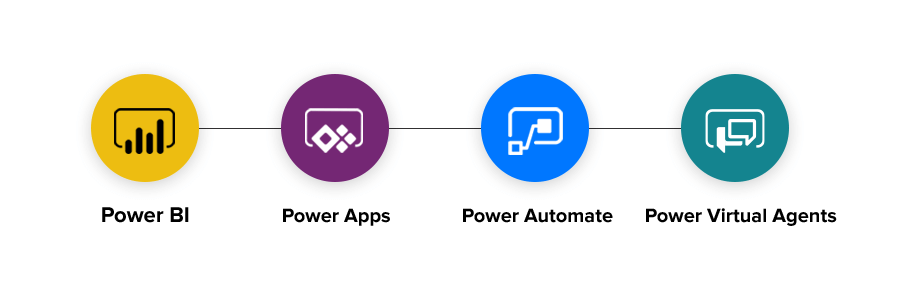
Power BI is, in my opinion, the most famous product of this platform. You can often see a variety of reports, infographics, summaries – created in this product.

Its popularity can be easily explained, it can connect and “pull” any data from where it is possible, from an impressive one – it will scan your PDF file itself and take from there the text and numbers that you want to see in the report – say magic! The main users of such reports, various managers and people who do not want to look out for the numbers they need in Excel tables, which 45 of their subordinates have to enter by hand – Power BI itself will connect to the necessary files, databases and build a report according to the template specified earlier.
Power Apps – creating applications without knowledge of the programming language. It sounds pretty strange, but the idea of deploying an application for a computer or smartphone from a template is really cool and you don’t really need to be a programmer to do this.
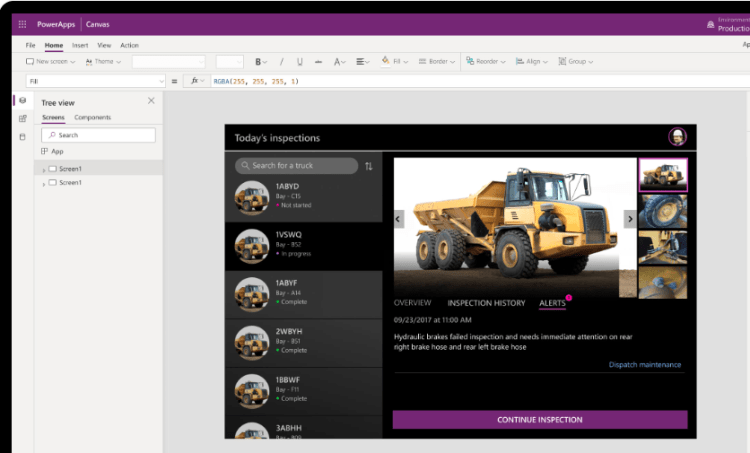
At the beginning of the article, I cited a quote from a case study of successful stories, just the same application was developed on the basis of Power Apps. Various “manual” small tasks in companies, as a rule, no one automates, because … finance, logistics, service – you need to improve global divisions and their IT systems, not to speed up the survey process or optimize the input of any data, within some a small department, this problem is intended to solve Power Apps – as you know, often the devil is in the details.
Power Automate – the purpose of this element in the Power Platform is automation, everything and everywhere … Do you want to receive an email when someone saves a document in a shared folder, you want to organize the process of document approval along a certain chain, you want to create a task after filling out your survey and receive a notification – these are all standard templates in Power Automate.
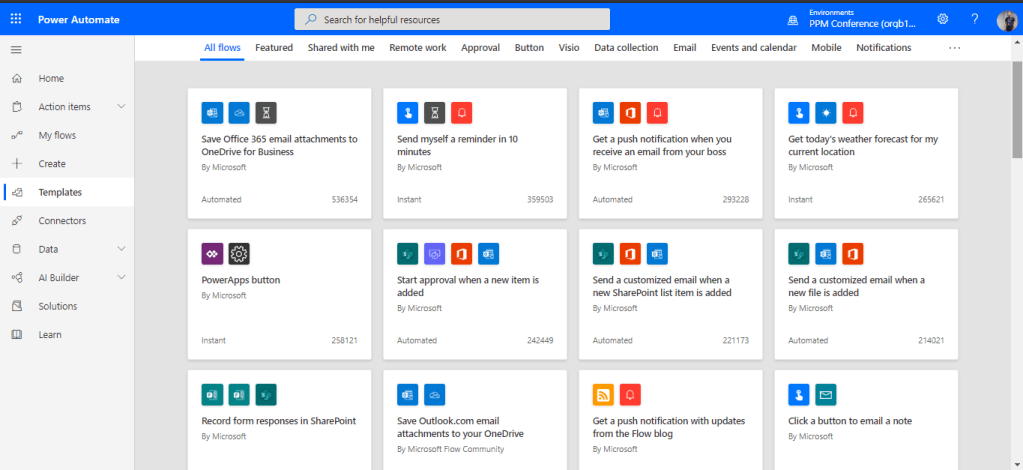
Here, as in Power Apps, you are not required, education at caltech and sleepless nights over the code, opened the template and entered a Microsoft account for all connections, indicated where to get the data and where to send it, saved – the process works.
Power Virtual Agent is a relatively new product, commonly referred to as BOT.
Perhaps you came across bots in messengers such as Telegram, Viber – sometimes you were absolutely sure that a real person answered you from the “other” side, although in fact the answer was “machine”.

Why does a business need bots? Of course, you save resources … human, financial, the bot communicates for you with clients, suppliers, leads. The bot will solve the client’s problem, and if it doesn’t, it will create a request for field service, the bot will make a deal with the client with minimal “touch” of the staff, it certainly sounds scary – especially for those whose functions are being replaced by bots today, good news we create and control them )
Why Platform and why Power or resume ..
Since, in simple terms, all 4 applications are built on the same principle and on the same platform, inside the data created in Power Apps can be used in Power Automate – thus, forming a single platform or environment, you can create several such environments for development, testing, operation.

Power – all applications are interconnected and to use all these tools, there is no need to learn different interfaces and principles of building solutions – everything is similar and the data within one application is identical to the data in another, since one CDS (Common Data Service) database is used.
 Serhii's Chekhla Blog